
In today’s digital age, having a website is crucial for businesses to thrive and reach their target audience. One essential element of a successful website is providing visitors with easy access to information about your products or services. One effective way to facilitate this is by adding a “Get a Quote” button. This button allows potential customers to request pricing information or quotes directly from your website, helping to streamline the sales process and increase conversion rates. In this article, we’ll explore the steps involved in adding a “Get a Quote” button to your website.
Understanding the Importance of a “Get a Quote” Button
Before diving into the technical aspects of adding a “Get a Quote” button, it’s essential to understand why it’s such a valuable addition to your website. A “Get a Quote” button provides visitors with a clear and convenient way to inquire about your products or services without having to navigate through multiple pages or contact forms. It helps to capture leads effectively and encourages potential customers to take the next step in their buying journey.
Choosing the Placement of the Button
The placement of your “Get a Quote” button can significantly impact its effectiveness. Ideally, it should be prominently displayed on your website where visitors are most likely to see it. Consider placing the button strategically on product pages, pricing pages, or in the website header or footer for easy accessibility. A/B testing different placements can help determine the optimal position for maximum engagement.
Creating Compelling Call-to-Action (CTA) Copy
The text on your “Get a Quote” button should be concise, compelling, and action-oriented. Instead of using generic phrases like “Submit” or “Send,” use persuasive language that clearly communicates the benefit of clicking the button. For example, you could use phrases like “Get Started,” “Request Your Quote Today,” or “Unlock Your Custom Pricing.” The goal is to encourage visitors to click the button by highlighting the value they’ll receive.
Implementing the Button Using HTML and CSS
Adding a “Get a Quote” button to your website is relatively straightforward using HTML and CSS. First, create a button element in your HTML code and assign it a unique class or ID. Then, use CSS to style the button to align with your website’s design and branding. You can customize the button’s size, color, font, and hover effects to make it visually appealing and attention-grabbing.
Integrating a Contact Form or Quote Request Form
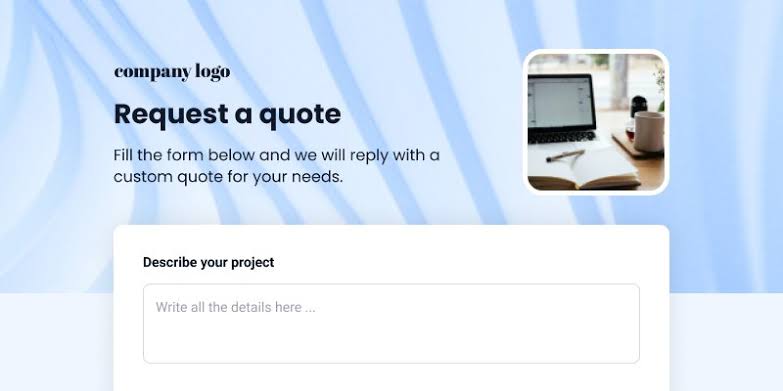
Once you’ve created the button, you’ll need to link it to a contact form or quote request form where visitors can provide their information and submit their inquiry. There are several ways to implement this, depending on your website platform and preferences. You can use a plugin or third-party service to create a custom form, or you can build one from scratch using HTML, CSS, and JavaScript. Make sure the form is user-friendly, with clear instructions and fields for relevant information such as name, email, phone number, and a message.
Testing and Optimization
After adding the “Get a Quote” button to your website, it’s essential to regularly monitor its performance and make adjustments as needed. Use analytics tools to track the number of clicks, form submissions, and conversion rates associated with the button. Pay attention to user feedback and behavior to identify any pain points or areas for improvement. A/B testing different button designs, placements, and CTAs can help optimize its effectiveness and drive better results over time.
Providing Prompt Follow-Up
Finally, ensure that you have a system in place to respond promptly to quote requests and inquiries submitted through the “Get a Quote” button. Automate email notifications to alert your sales or customer service team whenever a new lead is generated. Aim to follow up with prospects within 24-48 hours to keep the conversation going and provide the information they need to make a purchasing decision.
In conclusion, adding a “Get a Quote” button to your website is a simple yet powerful way to improve user experience, capture leads, and drive sales. By following the steps outlined in this article and continuously optimizing your approach, you can make the most of this valuable tool and enhance the effectiveness of your website as a sales and marketing asset.

